Top LinkedIn Profile Tips & Tricks for Job Seekers
Discover our top LinkedIn tips and tricks for job seekers in 2021. Follow our step-by-step guide to find out how to make your profile “recruiter-ready”.
As recruitment processes become increasingly digital, it’s essential for candidates to build visibility on popular online platforms. For jobseekers in 2021, a strong LinkedIn profile is an essential tool. This article provides a step-by-step guide on how to boost your online visibility and make your LinkedIn profile stand out to recruiters. Read on for more Linkedin profile tips and tricks for jobseekers today.
The Importance of Having a Strong LinkedIn Profile
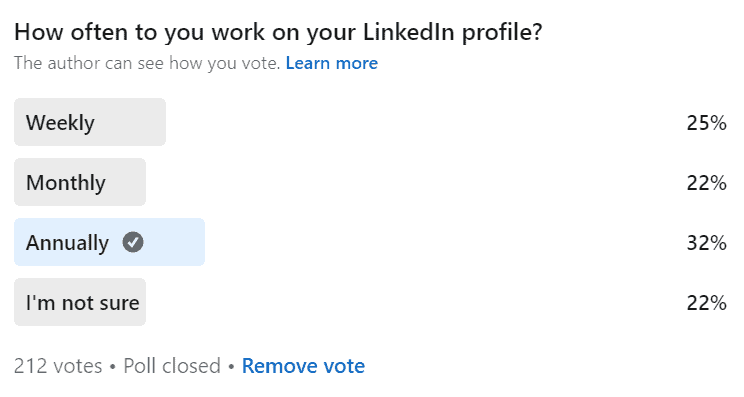
At last count, there were just over two million Linkedin users in Ireland alone. In order to distinguish yourself in such a crowded space, it’s vital to ensure that your personal profile is complete and up-to-date. A 2016 report highlights that users with complete profiles are eighteen times more likely to be discovered in searches by recruiters and other members.
How to Optimise Your LinkedIn Profile: A Step-by-Step Guide
Table of Contents
Profile Picture
TOP TIP: Ideally, your profile picture should be 400 x 400 pixels and no larger than 8MB.
Research from LinkedIn reveals that simply having a picture makes your profile fourteen times more likely to be viewed by others. A good-quality photo not only gives your profile a human touch, but it also helps to instil trust and confidence in others.
✔️ DO
- If you can, hire a professional photographer to ensure a high-quality headshot.
- Wear the same clothes you would wear to a job interview. It’s best to stick to simple shapes and dark, block colours.
- For a flattering, well-lit effect, take your somewhere with soft, natural light.
- Try to keep the camera at eye level to give the impression of meeting your viewer on equal ground.
- Ideally, your face should take up around 60% of the picture. To achieve this effect, crop from just above your head to your shoulders or to your waist.
- Smile. Studies have shown that when we see a picture of a smiling person we are more likely to perceive them as being likeable, competent and influential.
- Be conscious of your posture. Keep your back straight and relax your shoulders and hands.
- Consider angling yourself 45° away from the camera. A slight angle tends to be more flattering than a straight-on “mugshot” style photo.
❌ DON’T
- Avoid using small, low-resolution images.
- Don’t take the photo yourself. Ask a friend to do it instead as they will be able to capture your best angles.
- Don’t use an old picture or a group picture. Make it easy for others to recognise you.
- Don’t take a picture of a picture (for example on your ID card). Take a fresh one instead.
- Avoid distracting backgrounds. Opt instead for a plain backdrop with minimal visual clutter.
- Don’t stand directly up against the background. Create depth by taking one or two steps away from your chosen background.
Cover Photo
TOP TIP: LinkedIn accepts PNG, JPEG or GIF files of up to 2 MB. The recommended dimensions are 1400 x 425 pixels.
Your cover photo is a background image that stretches across the full header of your profile. This is one of the first things that someone will see, so it’s vital to make the right impression. Your chosen image should reflect who you are as a professional so you should carefully consider what you want it to say about you. The image you choose could be used to strengthen your personal branding, to highlight your professional achievements, or it could showcase some of your work.
You can take the image yourself and edit it with a free online tool such as Canva or Adobe Spark. Alternatively, you can source a high-quality copyright-free image from a site such as Pixabay, Unsplash or Pexels.
Name
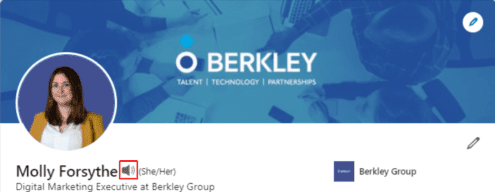
When adding your name, bear in mind that there is a maximum character limit of 60. Some people also insert keywords here to boost their search visibility, for example: “John Doe – Digital Marketing”. This year, a new feature was launched that allows users to upload an audio file that demonstrates how to pronounce their name.
Headline
TOP TIP: Your headline has a maximum character limit of 120.
One of our top LinkedIn profile tips for job seekers is to invest time into crafting a strong headline. Headlines are one of the most important LinkedIn search ranking factors. Invest time into crafting a catchy headline that includes some of your top keywords. Examples of keywords include industry or job-specific titles, skills, competencies, or credentials.
For unemployed job seekers, Cultivated Culture warns against using headlines such as “Seeking Opportunities,” “Looking For New Opportunities,” or “Currently Unemployed”: “No company or prospect is out there searching for people who are “seeking opportunities.” You’re wasting valuable space on keywords with no volume.”
5 Ways to Determine the Best LinkedIn Keywords for You:
- Sit down and write a list of job titles and skills that are in high-demand within your industry.
- Look up job postings in your field and note the most frequently used terms and phrases.
- Navigate to the skills section on your profile and type in a skill or job function. LinkedIn will automatically generate a drop-down list of potentially relevant skills that may double up as keywords.
- Check out the profiles of the top-ranked individuals in your field and note down the keywords they use.
- Search for a keyword on Google and scroll down to the “Searches related to…” section.
Summary
TOP TIP: Your summary has a maximum limit of 2,000 characters or 300-350 words.
Writing a personal summary may seem quite daunting but it’s important not to leave it blank. Your summary is a chance to get your unique voice across, boost your search visibility and to contextualise the information in your profile.
By default, users can only see the first three lines of your summary. Try to entice the reader to click the “see more” button by writing a captivating opening statement that conveys the most critical information about you.
To enhance the readability of your profile, it’s best to use short sentences and to separate out your points with paragraphs and bullet points. You can also make your summary stand out by using special characters. Ensure that your summary is peppered with keywords.
5 Things to Include in your LinkedIn Summary:
- Share your accomplishments – use hard data and examples to illustrate these if you can.
- Emphasise how your skillset can add value to a potential employer’s organisation.
- Describe your passions, values and professional goals.
- Include a “call to action” that invites the reader to connect.
- Add attachments (e.g. PDFs, videos, images) such as certificates, portfolio pieces, awards, references or case studies.
Experience
TOP TIP: Each job within the experience section has a maximum limit of 2,000 characters or 300-350 words.
The experience section on your LinkedIn profile should complement your CV. Whereas your CV will be tailored to each job you apply for, your experience section will need to be more generalised so that you avoid pigeonholing yourself. Be sure to use action words such as “managed, directed, grew, saved” etc. Each job listing should include your responsibilities, achievements and skills used. You can back these up by attaching relevant media such as images, presentations or PDFs. Add further credibility by linking the posting to the relevant company page.
Education
In this section, you need to include a summary of any completed education along with a list of your qualifications. You should fill this section even if you feel that this information is no longer relevant to your career. Many recruiters exclude candidates who do not meet the minimum educational level for a role, so if your degree isn’t mentioned, then you won’t show up in their search results. The education section also provides an opportunity for less experienced candidates to highlight the skills, achievements and experiences that they developed in school or university.
Skills
TOP TIP: You can add up to 50 skills.
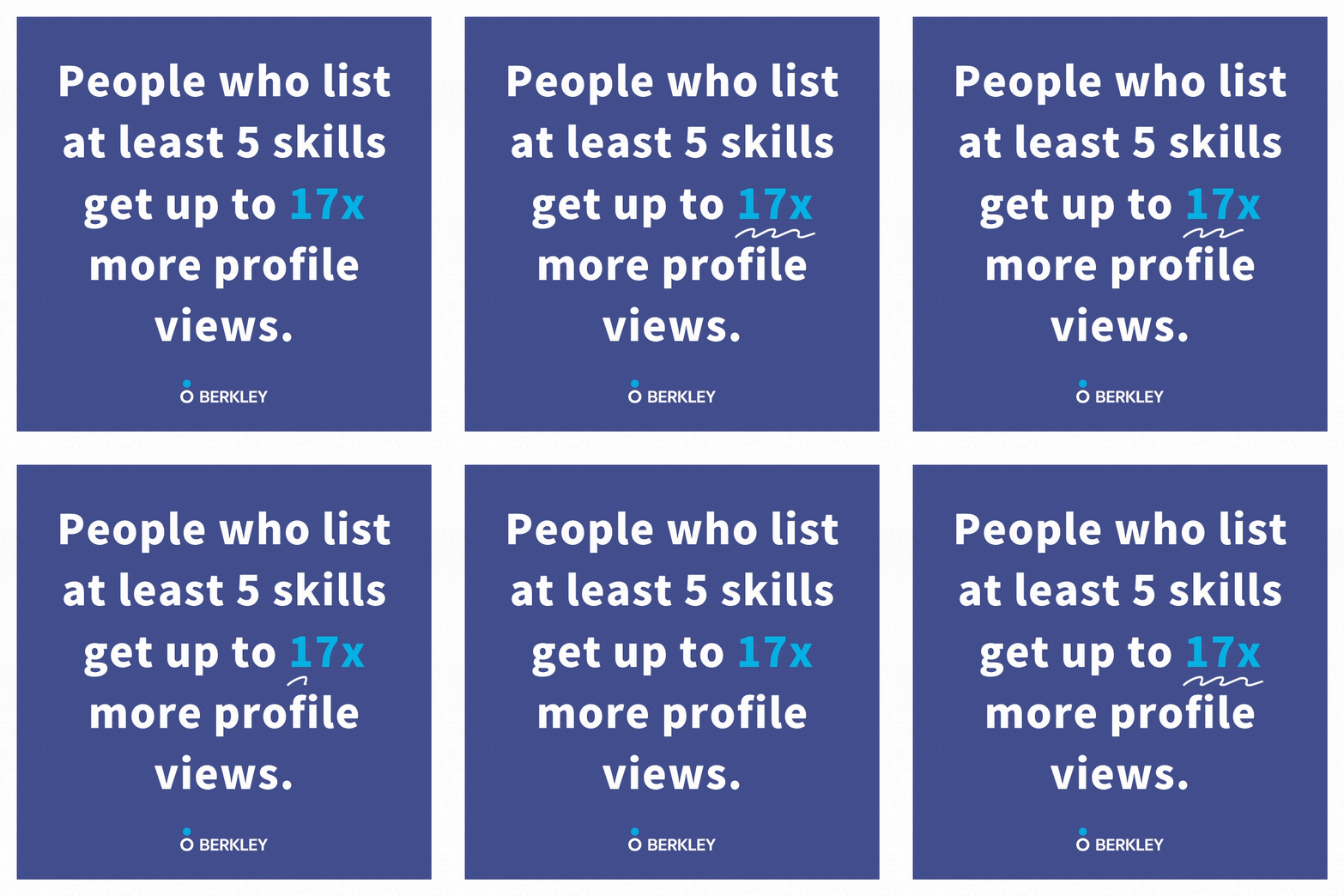
People who list a minimum of five skills receive up to seventeen times more profile views. It’s important to review this section occasionally to make sure that it is up-to-date and in-line with the latest trends in your industry. Viewers can only see the top three skills, so you need to choose these carefully. There are two ways you can validate your skills section:
- Endorsements: You can validate your skills by asking people in your network to “endorse” you. This is also a great way to build your network and engage with your connections.
- Skills Assessments: Last year, a new feature was launched that allows users to take a skills test. The aim of this is to verify their skills and demonstrate their proficiency. LinkedIn claims that candidates who complete these assessments are 30% more likely to get hired.
Accomplishments
The accomplishments section allows you to add extra colour to your profile and demonstrate a commitment to ongoing self-development. It features multiple sub-sections including:
- Publications
- Certifications
- Courses
- Projects
- Honours & Awards
- Patents
- Test Scores
- Languages
- Organizations
Recommendations
Data shows that people with recommendations are three times more likely to be contacted than those without. Recommendations add legitimacy to your profile and can bolster your online reputation. The best time to request a recommendation is immediately after leaving a position. However, it is perfectly fine to reach out to old managers and colleagues a few years later and to use it as an opportunity to reconnect. For best results, take time to personalise each request.
Who Should You Approach for Recommendations?
- Ex-managers
- Team leads
- Co-workers
- Clients / customers
Custom URL
One of our top LinkedIn profile tips is to create your own custom URL. Shorter and more memorable than the automatically-generated URLs, these custom URLs are far easier to share across your CVs, cover letters, business cards, email signature and social media accounts.
Let Recruiters Know You’re Open
Once you are happy with your profile, we recommend turning on the “Open Candidates” feature. Those already in a job will be happy to know that this is a highly discreet feature and is not visible to your existing employer. If you use this tool, LinkedIn will:
- Let recruiters know that you are interested in hearing about new opportunities
- Share job titles or roles that you’ve indicated an interest in
- Let recruiters know if you’re open to full-time or contracted positions
- Share the date you turned on “Open Candidates”
Achieving “All-Star” Status
To help you perfect your profile, LinkedIn uses statuses to gauge your profile strength. There are five different status levels – Beginner, Intermediate, Advanced, Expert and All-Star. To get the highest “All-Star” rating, you need to:
- Add your industry and location
- Upload a profile picture
- Write a summary
- Add your current position to the “experience” section along with two past positions
- Fill in the “Education” section
- Add at least of three skills
- Connect with at least 50 people

Contact Us for More Top LinkedIn Profile Tips & Tricks for Job Seekers
If you are looking for a role, please talk to one of our expert consultants today. We would be happy to share more top LinkedIn tips and tricks with you. Alternatively, you can find additional advice in our guide “How To Improve Your LinkedIn Profile for 2022“.